
We Automated Customer Query Resolution
Built a comprehensive AI support training system with custom analytics that automated 70% of customer queries while providing complete visibility into bot performance and user interaction patterns.
The Problem We Had to Solve Every Week
Our team was spending 3 hours daily answering repetitive customer support questions. We had answers to most questions, but they were scattered across documents, emails, and team knowledge with no systematic way to organize or access them.
We needed a way to train an AI system to handle these queries, but there was no organized database of questions and answers, no method to test whether the AI was giving accurate responses, and no way to track what customers were actually asking about.
Every support request required manual intervention, and we had no visibility into patterns or common issues that could help us improve our service.
What We Built Instead
We created a comprehensive AI support management system with two main components: the customer-facing user journey and the backend management systems.
How the System Works
The AI system follows a smart two-tier support approach with complete visibility and control:
Step 1: WhatsApp Query Processing: When a query comes in through WhatsApp, the system first shows categorized options for normal basic queries that can be resolved quickly. If those don't resolve the issue, users can then input free-flowing text for custom queries, which the system processes against our organized knowledge base with complete citation tracking.
Step 2: Automatic Resolution Check: If the customer confirms their issue is resolved, the ticket closes automatically on WhatsApp without any human intervention needed.
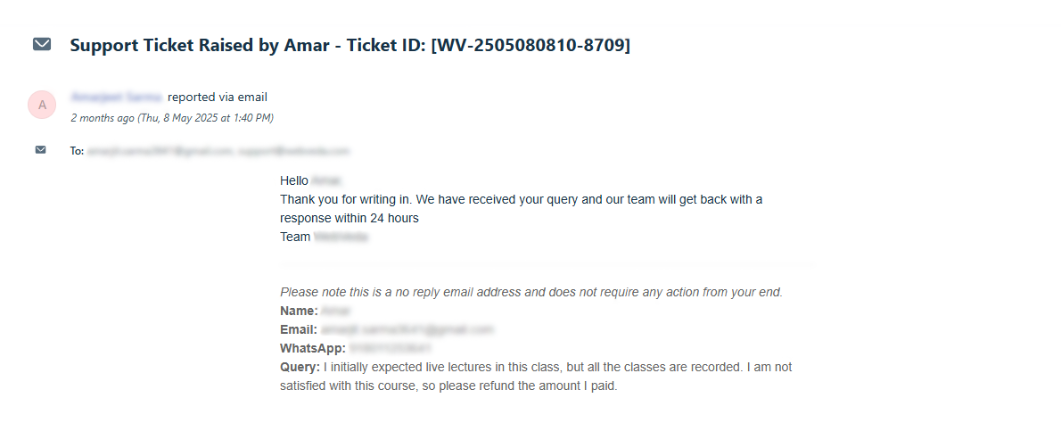
Step 3: Intelligent Escalation: If the AI cannot resolve the query or the customer indicates they need more help, the system seamlessly transfers the conversation to email support for human intervention.
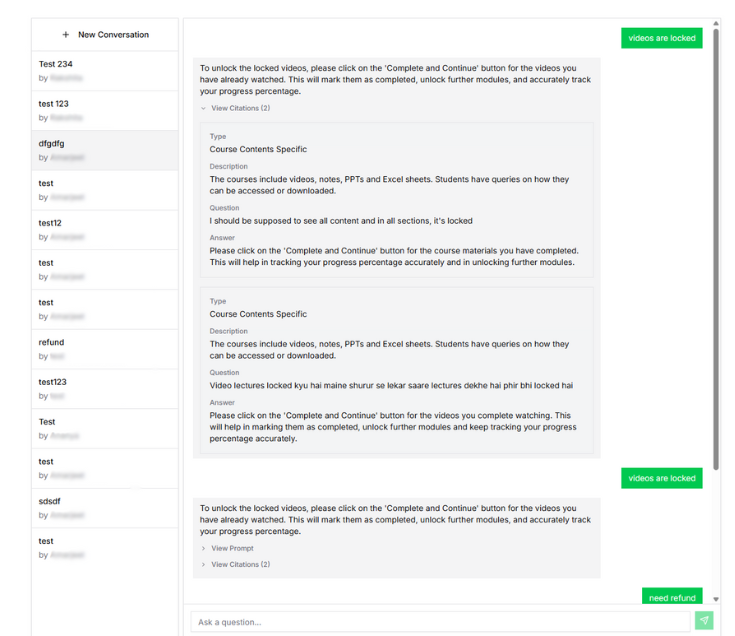
Step 4: Quality Control & Testing: Every response shows exactly which support documents were referenced, and we can view the exact prompts sent to the AI. The testing interface lets us immediately see how changes to training data affect responses.
Step 5: Analytics & Improvement: The analytics dashboard tracks which questions are asked most frequently, what percentage get resolved on WhatsApp vs. escalated to email, and where we need to add more support content.
The User Journey: From WhatsApp Query to Resolution
Step 1: User Can Ask Custom Questions: For issues that aren't resolved by templated flows, users can ask a custom question in natural language.
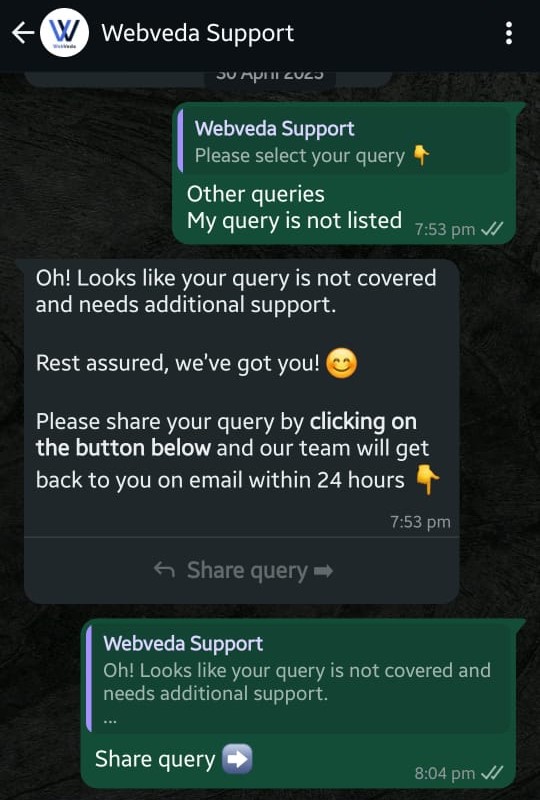
Step 2: User Reports an Issue: Customer sends their query through WhatsApp to our AI support bot.
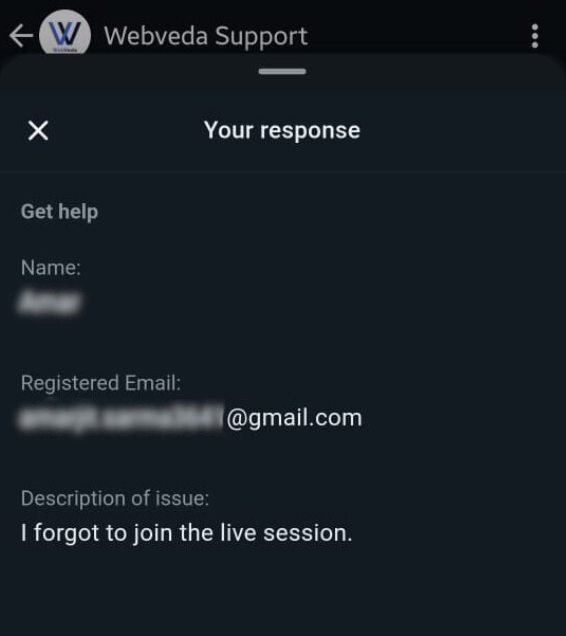
Step 3: Bot Attempts to Answer: AI processes the query and provides a response based on our knowledge base.
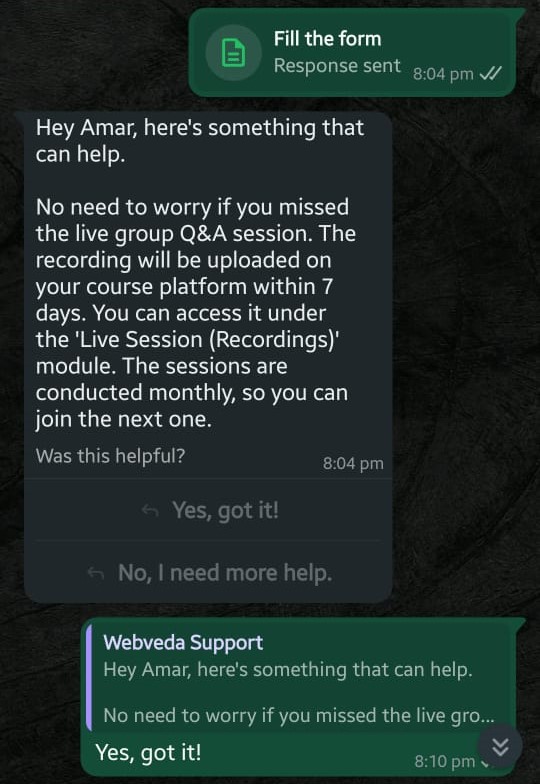
Step 4: User Feedback: If the bot's answer resolves the issue, great! If not, the user can indicate they need more help.
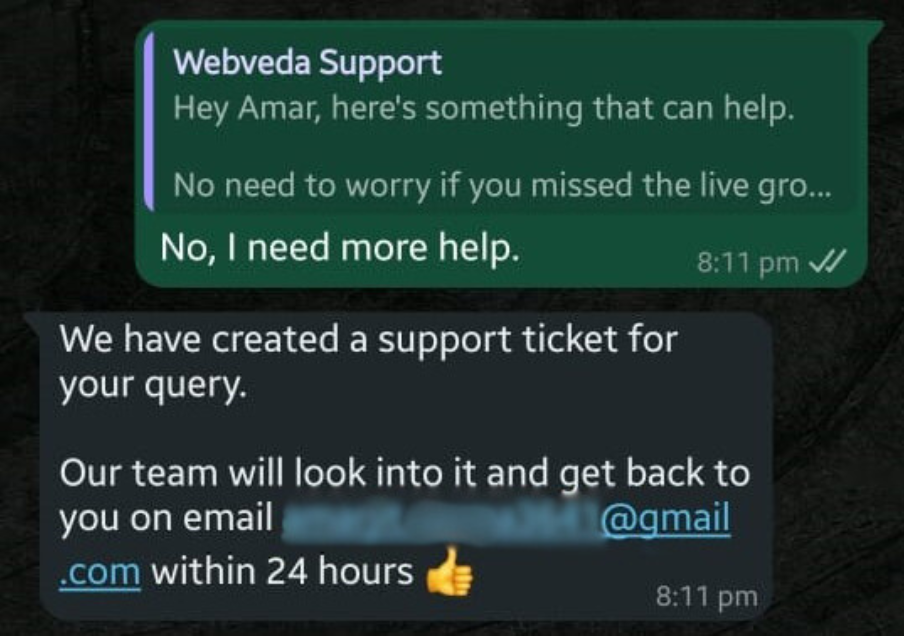
Step 5: Automatic Ticket Creation: When needed, the bot automatically raises an email ticket and transfers the conversation to our human support team.
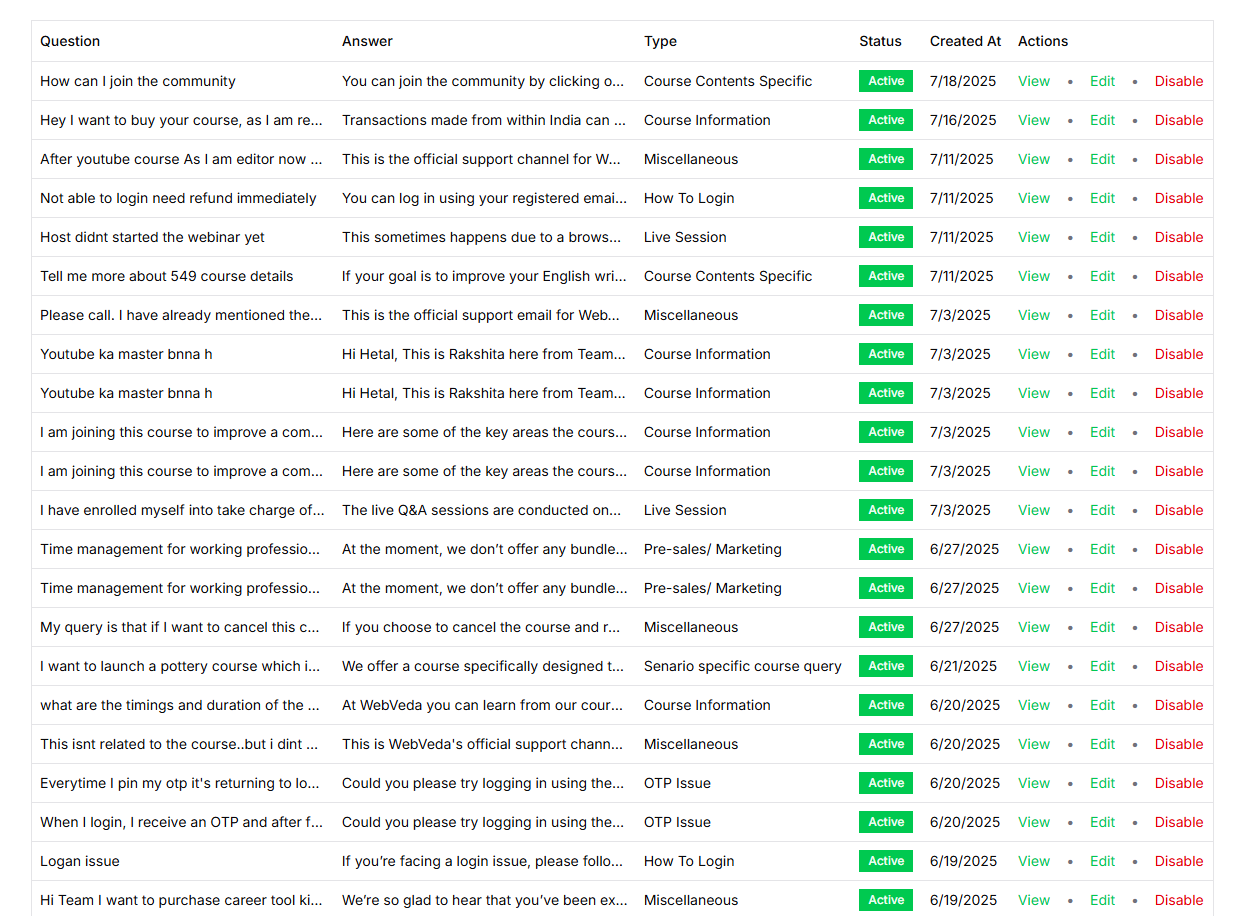
Backend Management Systems
Training Data Management: Centralized database for organizing support content with easy content creation and bulk management capabilities.
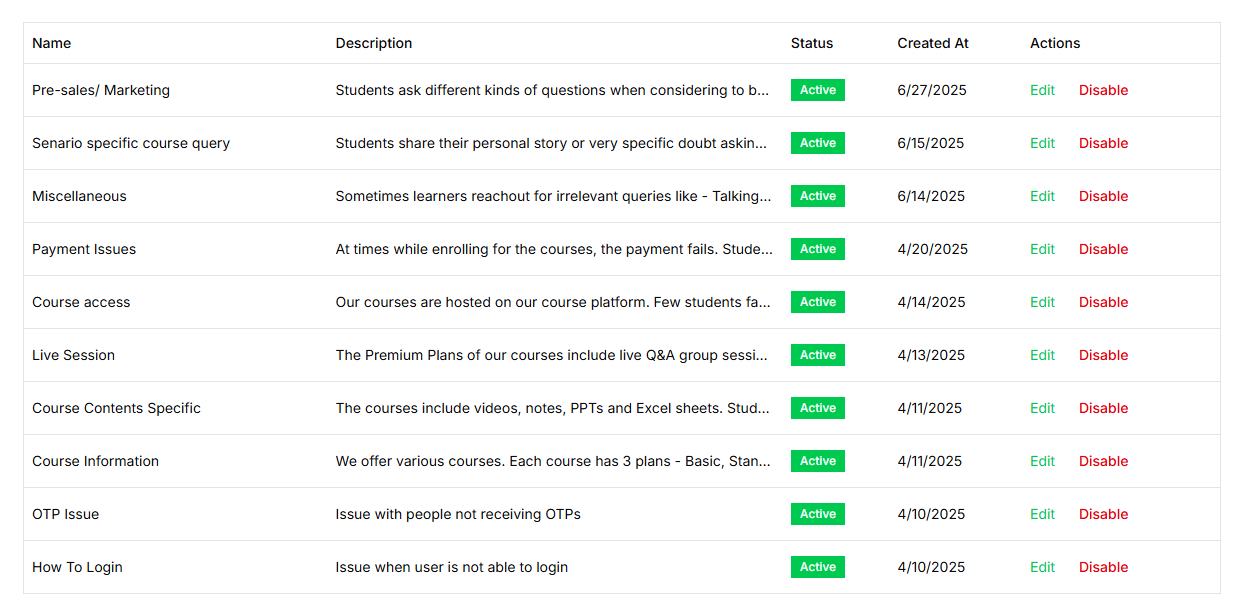
Question Categorization System: Organized classification system where every support document gets assigned to specific categories like billing, technical, or general inquiries.
AI Testing Interface: Real-time testing environment where we can test responses, analyze AI reasoning, and see exactly which sources were used for each answer.
Analytics Dashboard: Track how many tickets the bot resolved, how many the bot raised tickets for, and how many the user raised tickets for, so support admins can identify blindspots and keep adding more training data to the training set.
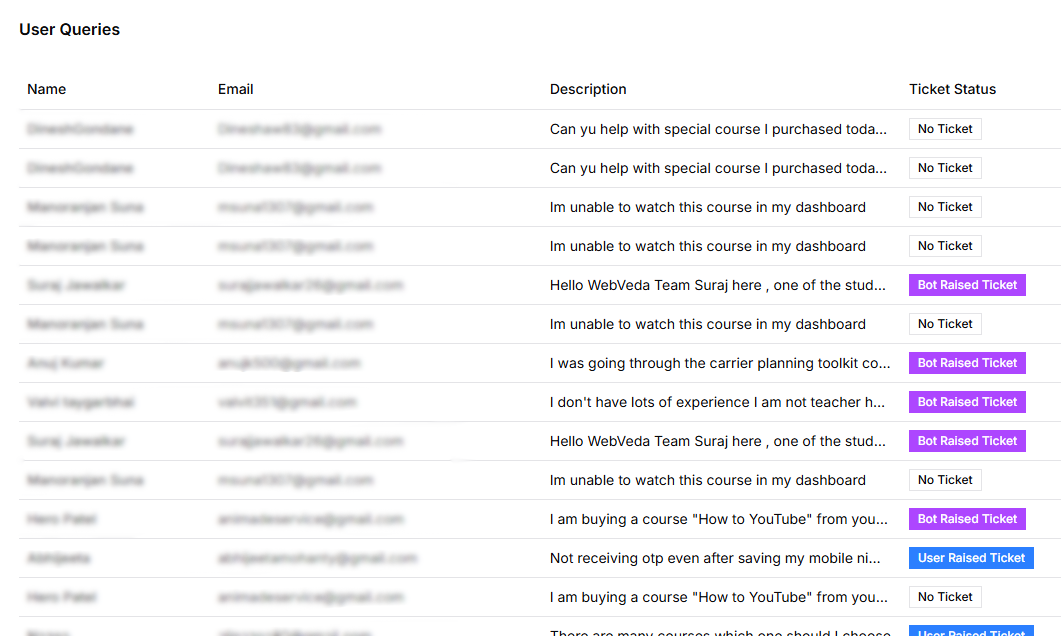
WhatsApp Message Analytics and Pattern Recognition
Beyond just handling individual queries, we needed deeper insights into what users were actually saying and asking about. We added a comprehensive analytics system that analyzes all WhatsApp message patterns without manual review.
Message Pattern Analysis: The system groups identical messages together (case-insensitive) and tracks how many times each message was sent, plus how many different phone numbers sent each type of message for true impact assessment.
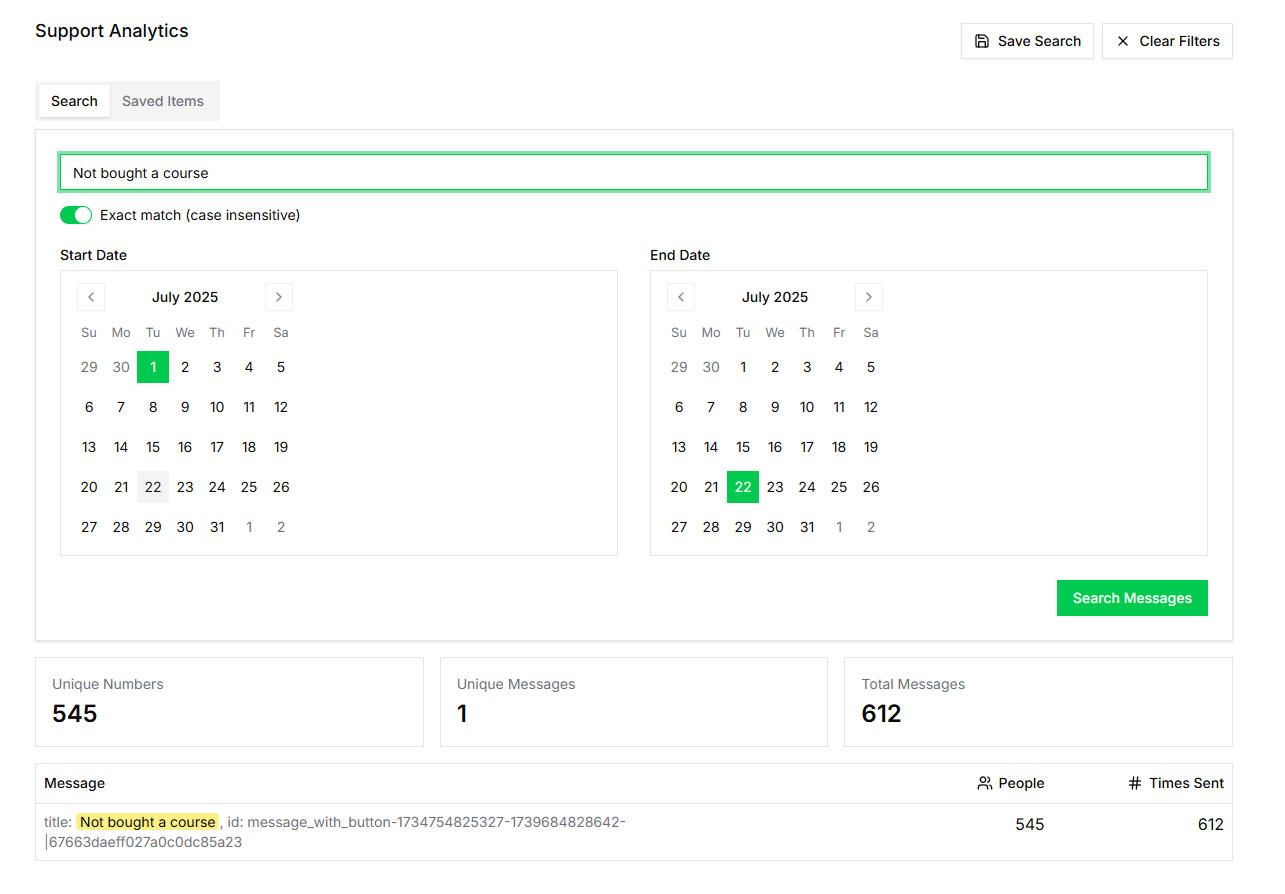
Advanced Search and Filtering: Search through messages with exact match or fuzzy search options to find specific patterns, plus date range filtering to analyze trends over specific time periods.
Export and Trend Tracking: Save frequently used searches for trend comparison across different time periods, plus CSV export functionality for further analysis and management reporting.
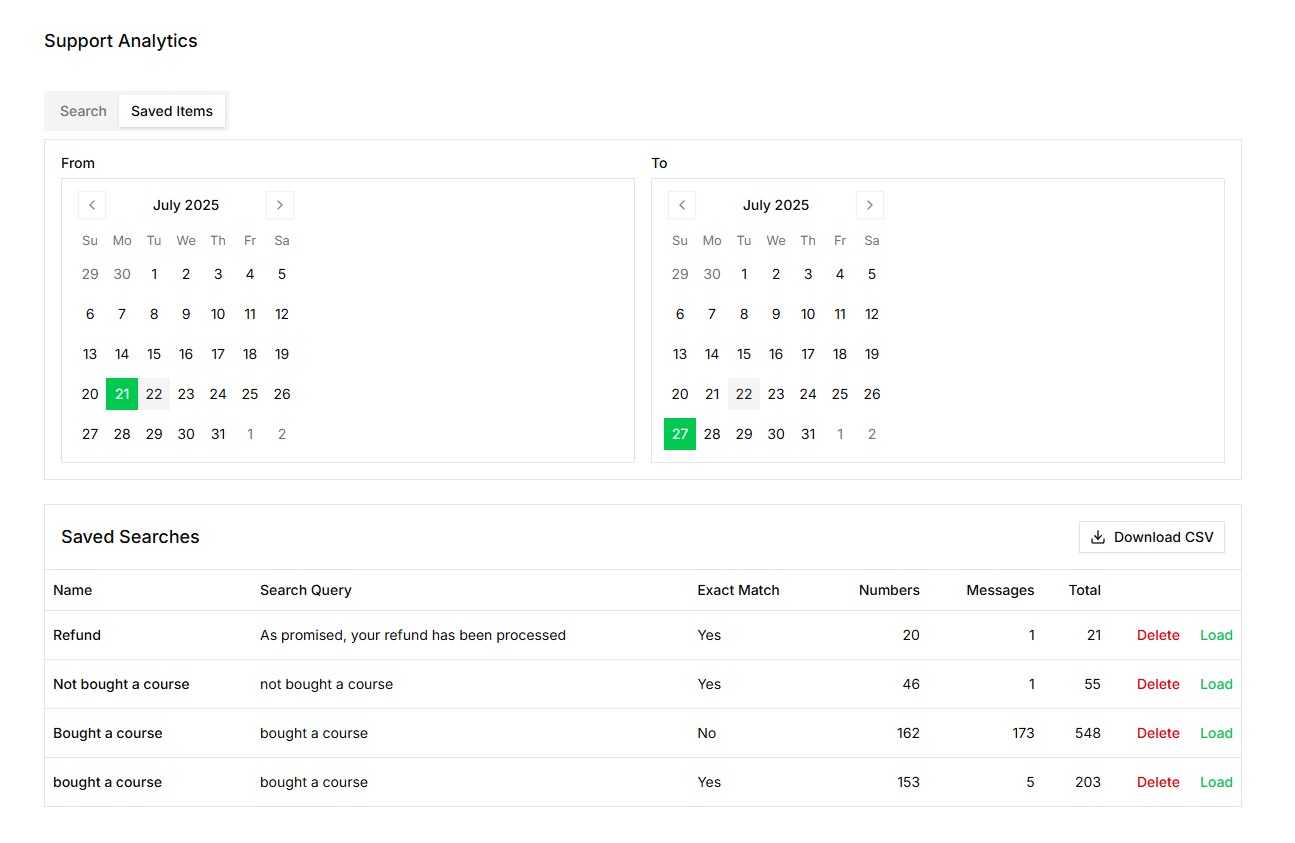
Key Metrics We Track:
- Total Messages: Complete count across all conversations
- Unique Messages: Number of different message types to understand issue variety
- Unique Numbers: Count of different people who contacted us for true user impact
- Message Frequency: Which messages are sent most often to identify priority issues
- User Distribution: How many people send each type of message for resource allocation
This analytics layer eliminated hours of manual message review while providing data-driven insights into user communication patterns and support needs.
The Impact on Our Support Operations
Automated Resolution: 70% of customer queries now get resolved automatically without any human intervention, freeing up our team to focus on complex issues.
Organized Knowledge: Instead of scattered information, we now have 500+ question-answer pairs organized across multiple categories and easily manageable.
Quality Assurance: Complete transparency in AI decision-making with citation tracking and prompt visibility ensures accurate responses.
Data-Driven Improvements: Analytics show us exactly what customers are asking about, helping prioritize which support content to create or improve.
Continuous Training: Real-time testing capabilities mean we can immediately see the impact of training data updates and continuously improve bot performance.
The system handles the full lifecycle from creating support content to tracking real user interactions, giving us everything needed to run professional AI-powered customer support.